Simulate shares and orders
Create a virtual portfolio, submit supported manual orders, and observe positions and balances without committing real capital.
Explore simulationRun algorithmic stock trading rules on the stocks or ETFs you select. Define indicator and price conditions, control share or percentage sizing, and specify exits in a strategy you can backtest and simulate.
Continued testing and automation: Premium/Elite. Live connection: Elite plus eligible provider/account. Check stocks and etfs coverage and restrictions.
Use the same stock and ETF concepts at the level of control that fits you.
Create a virtual portfolio, submit supported manual orders, and observe positions and balances without committing real capital.
Explore simulationCombine a watchlist or universe with chart conditions, sizing, stops, targets, schedules, and portfolio limits.
Explore no-code botsBuild Python universe selection, multi-timeframe indicators, custom signals, and typed order requests with the SDK.
Explore PythonEach example shows a different stock automation pattern. Symbols and thresholds remain yours to choose.
Choose custom symbols, supported standard lists, or user-defined query criteria.
Combine supported fields, indicators, expressions, and timeframes.
Express position size using supported fixed-quantity or allocation models.
Add supported stops, targets, holding limits, exposure controls, and position policies.
Investfly provides tools for rules you create or adopt. It does not select your stocks, supply a house ranking model, or decide whether live trading is appropriate for you.
A stock trading bot repeatedly evaluates rules for securities you choose and can produce supported alerts or orders. Investfly keeps the universe, entry, sizing, exit, and account authorization under your control.
Yes. Stock and ETF workflows can use supported universes, watchlists, indicators, baskets, recurring schedules, share quantities, and portfolio-percentage sizing.
Yes. Use the visual builder for supported price, indicator, schedule, sizing, and exit rules, or use Python when your strategy requires supported custom logic.
Yes. Historical backtests and virtual portfolios are separate from live account authorization. Their results are hypothetical and may differ from live fills, costs, liquidity, and market conditions.
Exploring an AI stock trading app? See how AI trading ideas fit into Investfly's stock strategy workflow, from your initial idea through building, testing, and simulation.
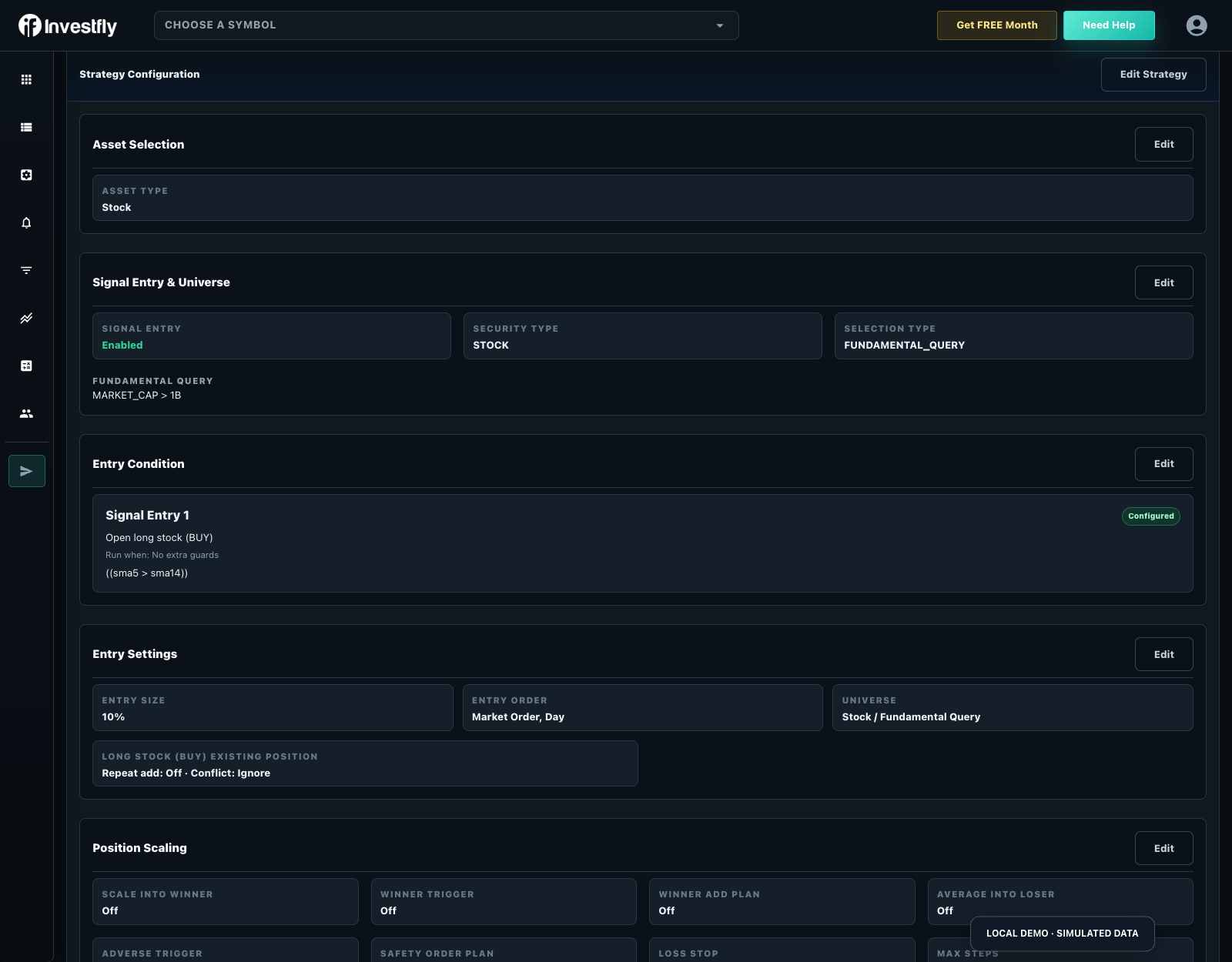
Inspect the five-minute AAPL/META SMA example: rising-edge SMA(20) above SMA(50), market/day entry, 30% equity sizing, initial 4% protection, staged closes and a later trailing stop. The strategy view shows every rule and limit, not just an entry signal.
Inspect SMA CrossOver, use Customize to save a private draft, and review every setting before running it.
| Reported historical period | Matched closed-trade records | Last completed run |
|---|---|---|
| 2026-09-03 to 2026-10-09 | 15 | 2026-10-10 |
Historical simulation, not live performance. Partial closes may create multiple matched records. The run uses available history; its dates can change as data refreshes. Inspect costs, fills, missing data and warnings in the full report. These settings demonstrate software behavior, not a recommended strategy.
| Connection | Stocks and options distinction |
|---|---|
| Tradier | Stocks/ETFs plus options; multi-leg order support for eligible accounts. |
| TastyTrade | Stock and options scope; verify account/instrument eligibility. |
| Alpaca | Stock and spot-crypto scope; do not assume multi-leg options support. |
Standard remains free after the included trial, with one stock/ETF virtual portfolio, screener, watchlist, notification automation and saved strategy. Continued backtesting and automated deployment require Premium or Elite; live connections require Elite.
Start with a stock screener, review historical assumptions, and inspect scheduled entry, baskets and rotation templates. A scheduled basket defines your weights and rules; it does not select an optimized investment for you.
The weekly contribution example schedules Monday 10:00, contributes $1,000 virtual cash per run and splits it 50/50 between AAPL and MSFT, subject to position/exposure limits. Confirm schedule timezone and available cash.
Inspect Advanced Weekly DCA Open, use Customize to save a private draft, and review every setting before running it.
| Reported historical period | Matched closed-trade records | Last completed run |
|---|---|---|
| 2020-07-27 to 2026-10-09 | 2 | 2026-10-10 |
Historical simulation, not live performance. Partial closes may create multiple matched records. The run uses available history; its dates can change as data refreshes. Inspect costs, fills, missing data and warnings in the full report. These settings demonstrate software behavior, not a recommended strategy.
The rotation example runs Monday 09:45, ranks MSFT/NVDA/META/AAPL/AMZN by 20-day rate of change and targets the top two within a 50% equity budget, subject to a 35% per-position cap. It is a rule illustration, not an optimized allocation. Review full protective targets, trail and maximum hold before copying.
Inspect Advanced Score Weighted Rotation, use Customize to save a private draft, and review every setting before running it.
| Reported historical period | Matched closed-trade records | Last completed run |
|---|---|---|
| 2020-07-27 to 2026-10-09 | 163 | 2026-10-10 |
Historical simulation, not live performance. Partial closes may create multiple matched records. The run uses available history; its dates can change as data refreshes. Inspect costs, fills, missing data and warnings in the full report. These settings demonstrate software behavior, not a recommended strategy.
| Provider for live connection | Market/account scope | Paper mode | Live mode |
|---|---|---|---|
| Tradier | Supported stocks/ETFs; options are a separate permission | Investfly virtual portfolio: simulated funds; no provider connection required. | Elite: separately authorize an eligible provider account. |
| Alpaca | Supported stocks; review instrument/account permissions | Investfly virtual portfolio: simulated funds; no provider connection required. | Elite: separately authorize an eligible provider account. |
| TastyTrade | Supported stock instruments; confirm the selected account | Investfly virtual portfolio: simulated funds; no provider connection required. | Elite: separately authorize an eligible provider account. |
Historical testing: Available stock/ETF OHLCV bars; symbol, interval and warm-up determine the usable period. Stored intervals are 1, 5, 15, 30 and 60 minutes and daily where data is available; inspect the reported period instead of assuming every symbol has every interval.
Plan and execution limits: Premium or Elite is required for continued automated deployment and historical testing after the trial. Standard continues to provide one free stock/ETF practice portfolio. Provider support is not a promise that every account, country, symbol, structure or order type is eligible. Review the connection and strategy compatibility report, quote timestamp, fees and market-data rights. Investfly-managed protection and modeled fills can behave differently from native broker orders. Review current plans and testing assumptions.
Build visually or with Python, then review backtests and virtual portfolio activity before deciding what comes next.
Examples are illustrative. Backtests are hypothetical and trading involves risk of loss.