Open a virtual portfolio
Create a simulated account for the market you want to practice. Check its cash balance and buying power.
Practice simulated trading across supported markets in a virtual portfolio without committing real capital. Start with manual orders, then add simple conditions and strategies as the mechanics become familiar.
Standard remains free after the included trial, with one stock/ETF virtual portfolio, screener, watchlist, notification automation and saved strategy. Continued backtesting and automated deployment require Premium or Elite; live connections require Elite.
| Step | What to inspect |
|---|---|
| Create a virtual portfolio | Choose a starting virtual balance and record it. |
| Review a stock/ETF order | Check symbol, quantity, order type and modeled cost before submitting. |
| Inspect order state | Pending is not filled. Open positions are different from matched closed trades. |
| Review the session | Compare your planned action with the simulated execution and timestamp. |
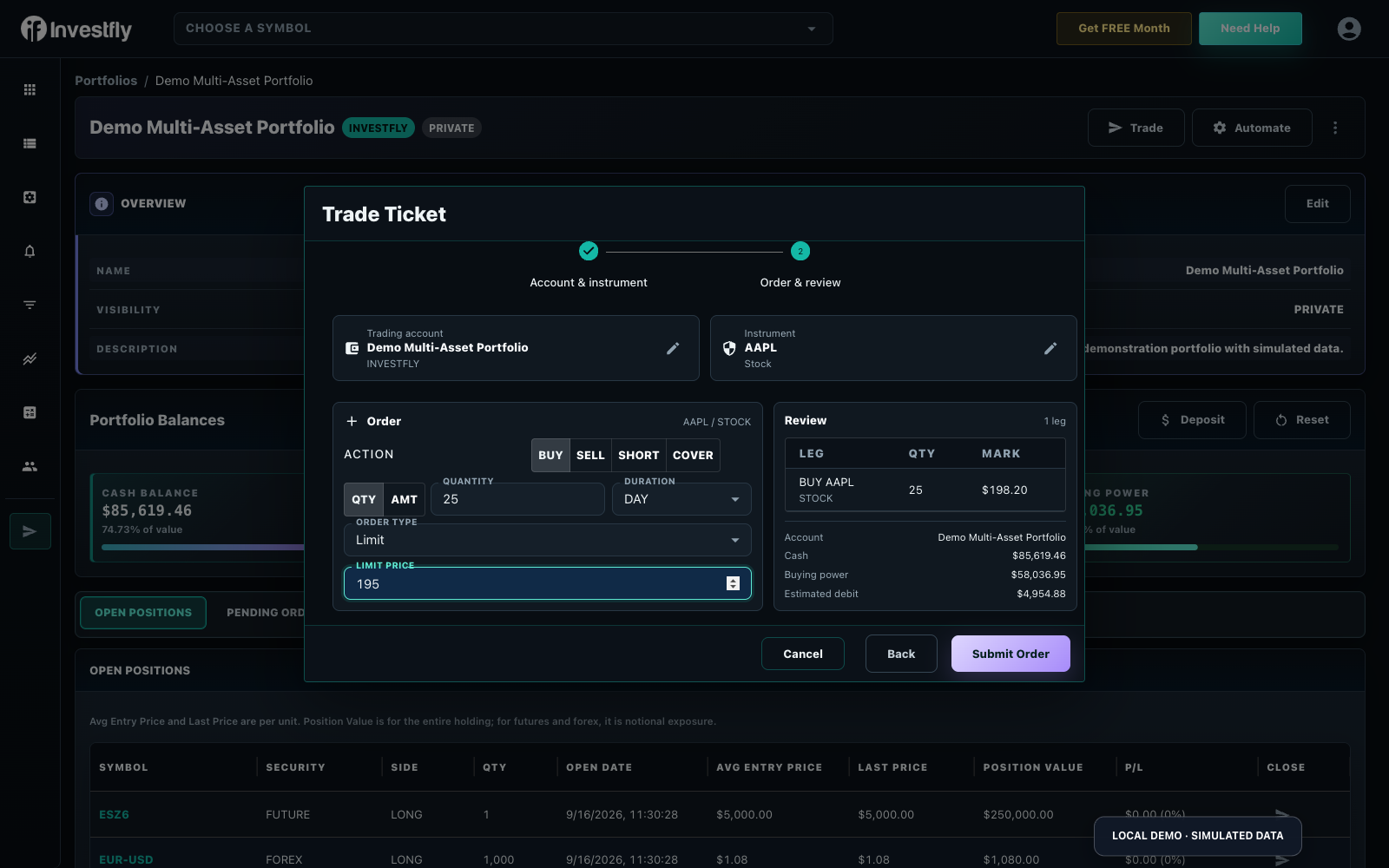
The screenshot is a fictional example. Limit orders may remain pending; modelled fills, fees and data timing differ from a brokerage. Crypto, options, forex and futures practice have their own support and plan boundaries; do not assume a free stock feature is free for every market. Read the first-order walkthrough and virtual portfolio balances.
Create a Free Practice Account
Next: review options-practice access and contract units; review spot-crypto practice limits.
Learn the order mechanics in a virtual portfolio before adding automation. You can keep practicing manually for as long as you need.
Create a simulated account for the market you want to practice. Check its cash balance and buying power.
Open Manual Trade, select your virtual portfolio, and review the symbol, quantity and order type before submitting.
Look in Pending Orders for an unfilled order or Open Positions for a filled one. Compare the recorded quantity and entry price with your plan.
Practice closing the position, inspect Trade History, and record what you learned before repeating the exercise.
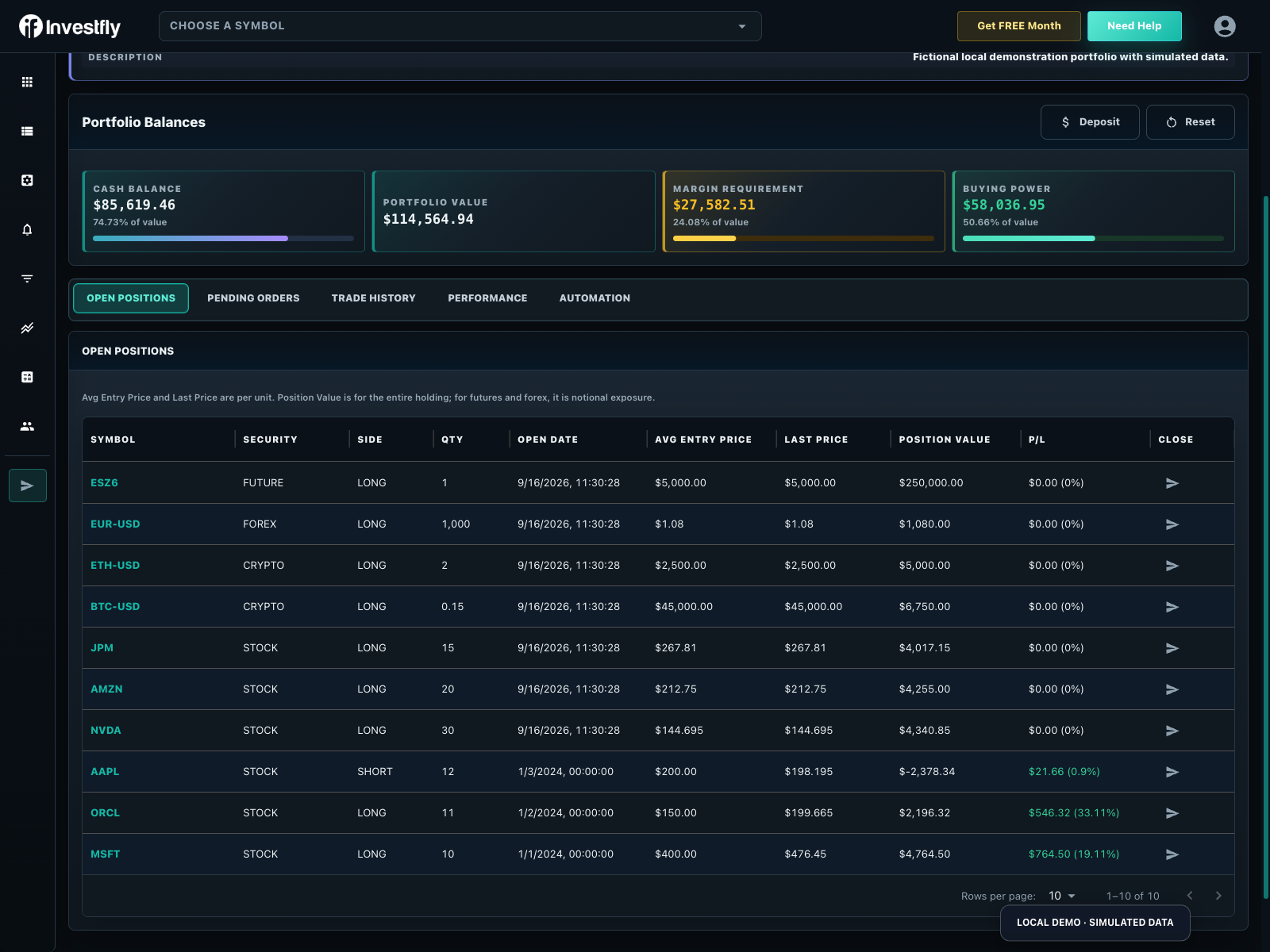
Virtual activity is still simulated, but the configuration should reflect the instrument you are exploring.
Observe position quantities, balances, price changes, and order status in a virtual stock portfolio.
Explore stocksExperiment with supported spot-crypto pairs and scheduled accumulation without implying leverage or short selling.
Explore cryptoInspect how expiration, strikes, option actions, collateral, and multi-leg structures affect a position.
Explore optionsObserve how directional contracts and currency pairs use different sizing, price increments, and account mechanics.
Explore derivativesVirtual portfolios can help you observe how your inputs behave, but simulated fills, prices, market conditions, liquidity, fees, and timing can differ from live trading.
Move into the no-code builder for complete strategy configuration, or explore Python later if your logic requires custom code.
A paper trading simulator models orders, positions, balances, and market activity without committing real capital. In Investfly, virtual portfolios provide this ongoing simulated environment across supported markets.
A backtest applies your rules to selected historical data. A virtual portfolio observes simulated activity as time moves forward. Both are hypothetical and can differ from live trading.
Investfly virtual portfolios support learning paths for stocks and ETFs, spot crypto, options, futures, and forex, subject to the current capabilities and data available for each market.
No. Simulation cannot reproduce every fill, spread, fee, liquidity condition, outage, or market event. Use it to understand mechanics and evaluate your rules, not as a prediction or guarantee.
Explore supported markets, review every input, and decide what you want to learn next.
No credit card required. Virtual portfolios are simulations and do not predict live results.