Screeners
Scan supported universes with market, fundamental, and indicator criteria you choose, then save screens for reuse.
Universe Matches Explore the stock screenerScreen markets, define indicators, create alerts or trading bots, build complete strategies, run backtests, and observe activity in virtual portfolios—all around rules you choose.
Utilize artificial intelligence in your trading process, with Investfly's strategy building, backtesting, and simulation tools around the ideas you choose.
Start with a focused capability or combine them into a broader process. Each tool has a distinct purpose, from finding a market condition to testing complete strategy logic.
Scan supported universes with market, fundamental, and indicator criteria you choose, then save screens for reuse.
Universe Matches Explore the stock screenerMonitor a security or universe for your condition and use an available notification channel when a match is detected.
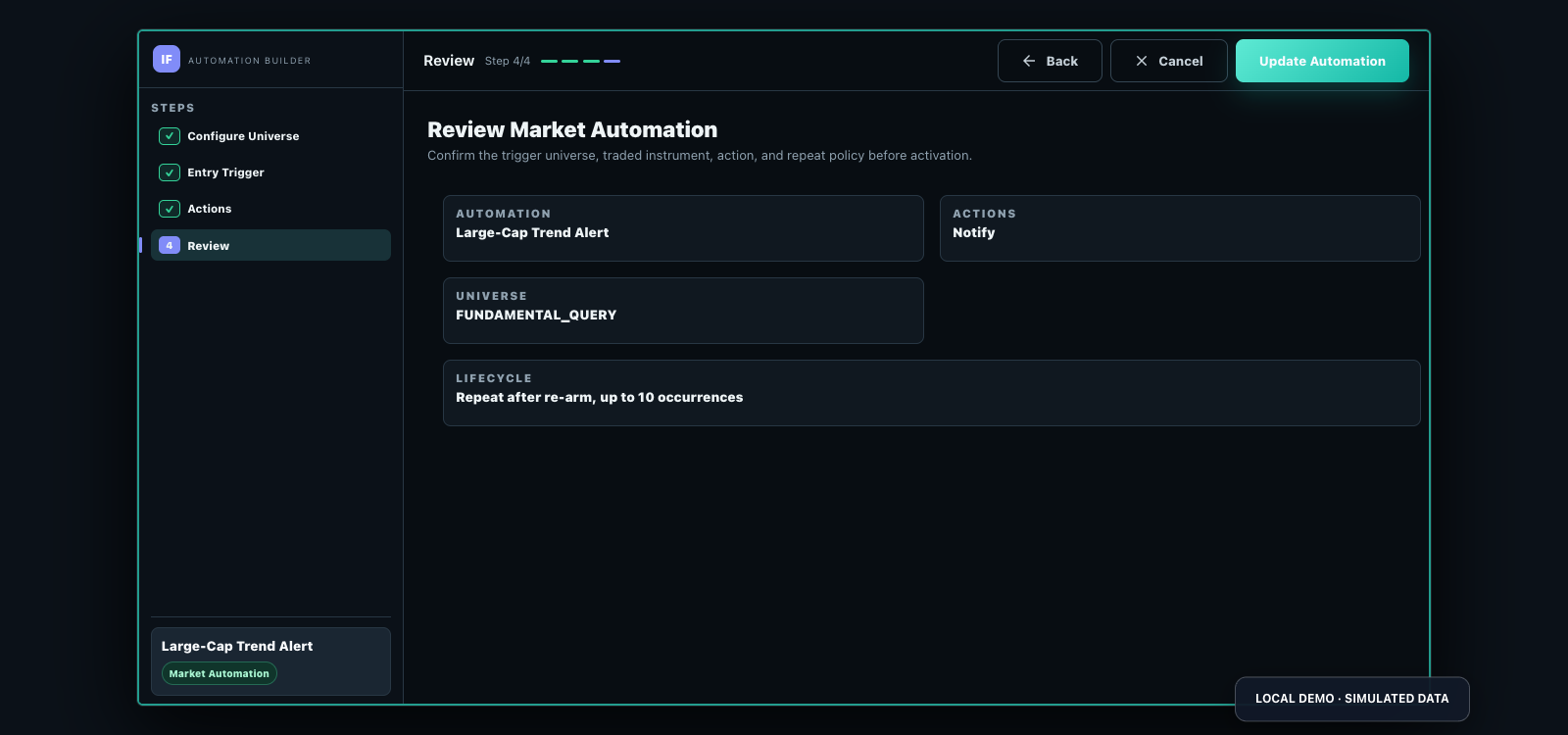
Condition Notification Market Automation presetPair a focused condition with one user-configured order action. The Trading Bot preset runs once by default and can also notify.
Condition Order action Market Automation presetCombine a universe, entries, sizing, exits, and ongoing position management using visual configuration or Python.
Universe Managed lifecycle Compare authoring optionsRun strategy rules across a selected historical period and inspect the modeled equity curve, trades, drawdown, and available metrics.
Rules Historical model See the testing cockpitWrite reusable Python calculations for supported screeners, Market Automations, strategies, and historical tests.
Python Reusable signal Explore custom indicatorsScreeners narrow a market, watchlists organize symbols, charts add visual context, and indicators turn reusable calculations into conditions for other Investfly tools.
Combine supported quote, fundamental, and indicator criteria to create reusable stock screens and focused symbol lists.
Organize symbols in watchlists and use interactive charts with supported technical indicators to inspect market context.
Define custom indicators when a built-in measure does not express your calculation, then reuse them where that indicator type is supported.
Alerts and Trading Bots are two focused Market Automation presets. A Trading Strategy is the larger system for entries, exits, sizing, and ongoing position management.
Keep watch without attaching an order action.
Automate one focused, user-configured order action.
Operate complete logic across a selected universe.
Every condition, notification preference, order instruction, and strategy rule comes from the user. Live actions require a separate eligible account connection and authorization.
Use historical backtesting and ongoing virtual portfolio simulation to inspect behavior, identify assumptions, and revise your own rules.
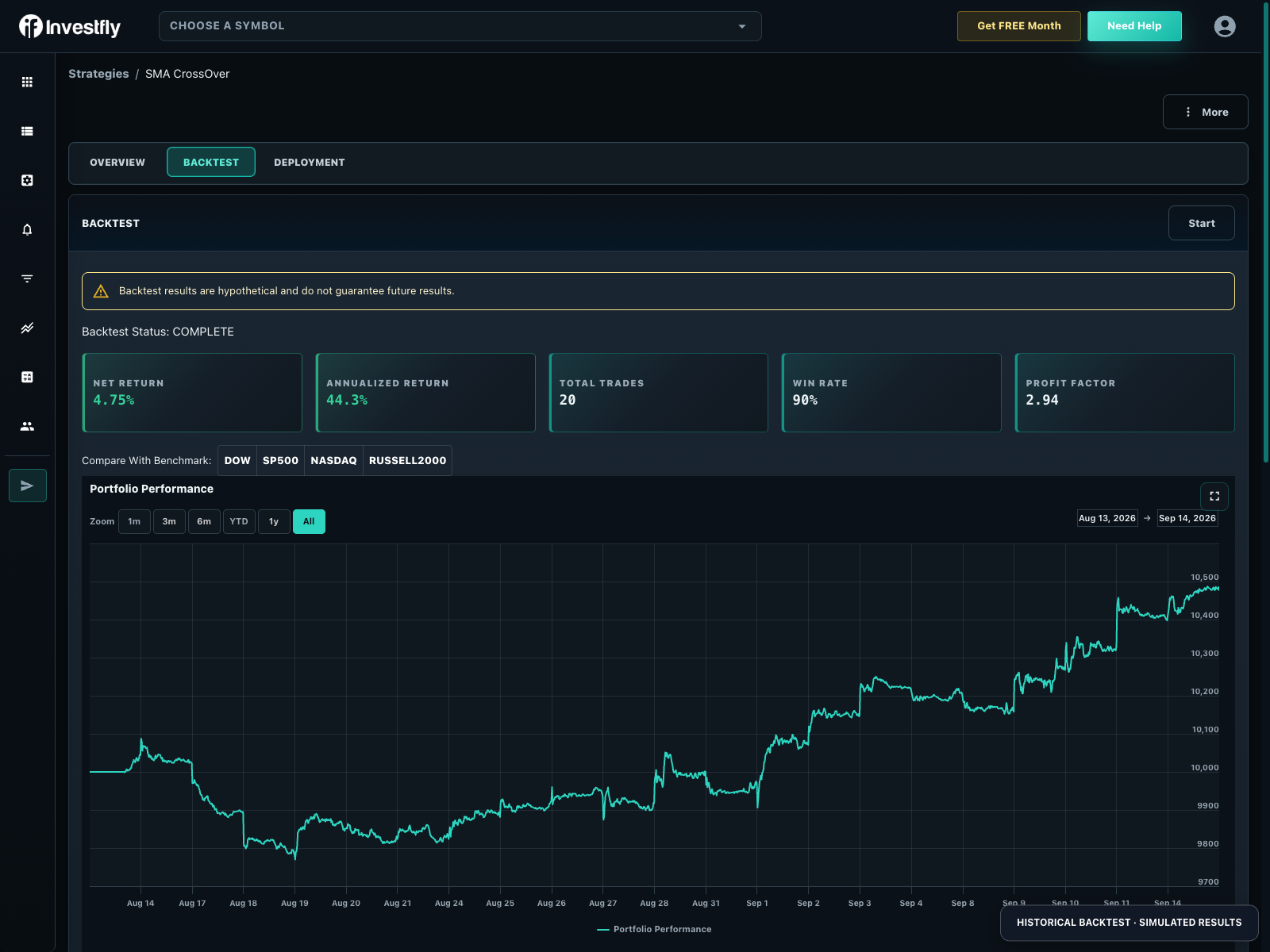
Choose a supported period and review returns, drawdown, trades, and available metrics against the assumptions in the test.
Observe simulated positions and orders over time without committing real capital. Simulated fills can differ from live trading.
Change the inputs you control, rerun the test, and watch for overfitting before making any separate live-use decision.
Bring your investment club, friends, or classroom together for a virtual trading contest. Set shared rules and starting cash, compare results, and use group membership to control who participates.
Configure supported instruments using concepts traders recognize—from shares and option legs to pips, ticks, contracts, and spot pairs.
Build universes, apply technical or fundamental criteria, and express position sizes in shares or portfolio percentages.
Explore stock automationConfigure supported structures such as spreads and cash-secured puts with underlying, expiration, strike, and leg selections.
Explore options automationDefine rules for supported spot pairs and express entries, exits, and sizing around the market data available to your account.
Explore crypto botsUse directional buy or sell logic with currency pairs, pip-based stops and targets, and account-dependent margin.
Explore forex botsExpress strategy settings in contracts and ticks while accounting for contract specifications, margin, and provider support.
Explore futures botsUse the dashboard and portfolio views to review automation state, virtual portfolio activity, notifications, and connected-account activity. Pause or undeploy strategies when you choose.
Investfly supports connections across multiple market providers. Exact instruments, order types, automation permissions, and account eligibility vary—confirm current availability inside your account.
Stocks, ETFs, and options
Stocks, options, crypto, and futures
Stocks and crypto
Forex
Crypto
Connecting a provider does not make every strategy live. Review the strategy and account, then explicitly authorize an eligible connection.
Review connection documentationNo. The visual strategy builder supports configuration-based strategies without coding. Python is available when you need supported custom logic or indicators.
Yes. Backtesting uses supported historical data, and virtual portfolios simulate ongoing positions and orders. These modeled results can differ from live trading.
No. Investfly provides software infrastructure. You choose or adopt the securities, rules, direction, sizing, risk settings, and any account authorization.
No. Live availability depends on provider, account, jurisdiction, instrument, order type, market-data rights, and current product support.
Alerts and Trading Bots are focused Market Automation presets. An Alert notifies by default; a Trading Bot attaches one configured order action and runs once by default. A Trading Strategy adds a universe, entries, exits, position sizing, and ongoing position management.
Many rule concepts transfer, but each asset class has different instruments and semantics. Options use contracts and legs, forex uses pips, futures use ticks and contracts, and crypto support is currently spot-oriented.
Supported Python custom indicators can be used in compatible screeners, Market Automations, visual strategies, Python strategies, and historical testing paths. Availability depends on the specific tool and data context.
No. They use dedicated virtual portfolios and simulated results inside a private classroom or investment group.
| Your task | Tool | Important boundary |
|---|---|---|
| Find current matches | Screener | Point-in-time results; not persistent false/true monitoring. |
| Notify on a new condition | Alert preset in Market Automation | Notifications; rearming behavior is configurable. |
| Send an order on a condition | Trading Bot preset in Market Automation | Focused order action; repeats only when configured and permitted. |
| Manage ongoing entries, sizing and exits | Trading Strategy | Visual or Python lifecycle with portfolio and asset constraints. |
| Check historical behavior | Backtest | Modeled data and execution, not a live-performance promise. |
Standard remains free after the included trial, with one stock/ETF virtual portfolio, screener, watchlist, notification automation and saved strategy. Continued backtesting and automated deployment require Premium or Elite; live connections require Elite.
Use the automated trading platform overview for the broad product category. Follow the build-and-test guide, or inspect public rule examples when evaluating a specific control.
Start with a screener or alert, create a focused Trading Bot or complete strategy, and use Investfly's testing, simulation, and monitoring tools around the rules you define.
No credit card required. Review current trial and plan terms before subscribing.