Select the universe
Choose a custom list, supported standard universe, or user-defined query.
Build a no-code trading bot with your own price, indicator, schedule, sizing, and exit logic. The visual trading bot builder keeps each decision explicit. Backtest the strategy, observe it in simulation, and monitor the rules instead of recreating the same decision by hand.
A usable trading bot needs more than an entry. Investfly keeps the full strategy visible so you can inspect each assumption.
Choose a custom list, supported standard universe, or user-defined query.
Combine supported quote fields, indicators, filters, schedules, and timeframes.
Choose position sizing, order behavior, exposure limits, and existing-position handling.
Add stops, profit targets, time exits, session controls, or supported asset-native lifecycle rules.
These are illustrative configurations—not strategy recommendations. You choose every instrument, threshold, schedule, and risk input.
Automation can repeatedly evaluate supported rules, but it does not remove the need to review strategy behavior, account state, and market conditions.
Let a strategy evaluate supported triggers on its configured schedule instead of manually repeating every scan.
Review the selected universe, expression, sizing, exits, and limits in one structured configuration.
Backtest and simulate first, then authorize an eligible account separately if and when you choose.
No-code algorithmic trading expresses a strategy through visual controls instead of a programming language. A no-code trading bot evaluates those saved rules. You still choose the universe, conditions, schedule, sizing, exits, and risk settings.
Yes. Investfly lets you run supported visual strategies through historical backtests and virtual portfolios before separately authorizing an eligible connected account.
The builder supports market-specific workflows for stocks and ETFs, spot crypto, options, futures, and forex. Instruments, data, orders, and live availability depend on current platform and provider support.
No. Illustrative strategy templates provide inspectable starting structures. Copy one into a private workspace, then replace its instruments, thresholds, sizing, timing, and risk inputs with your own choices.
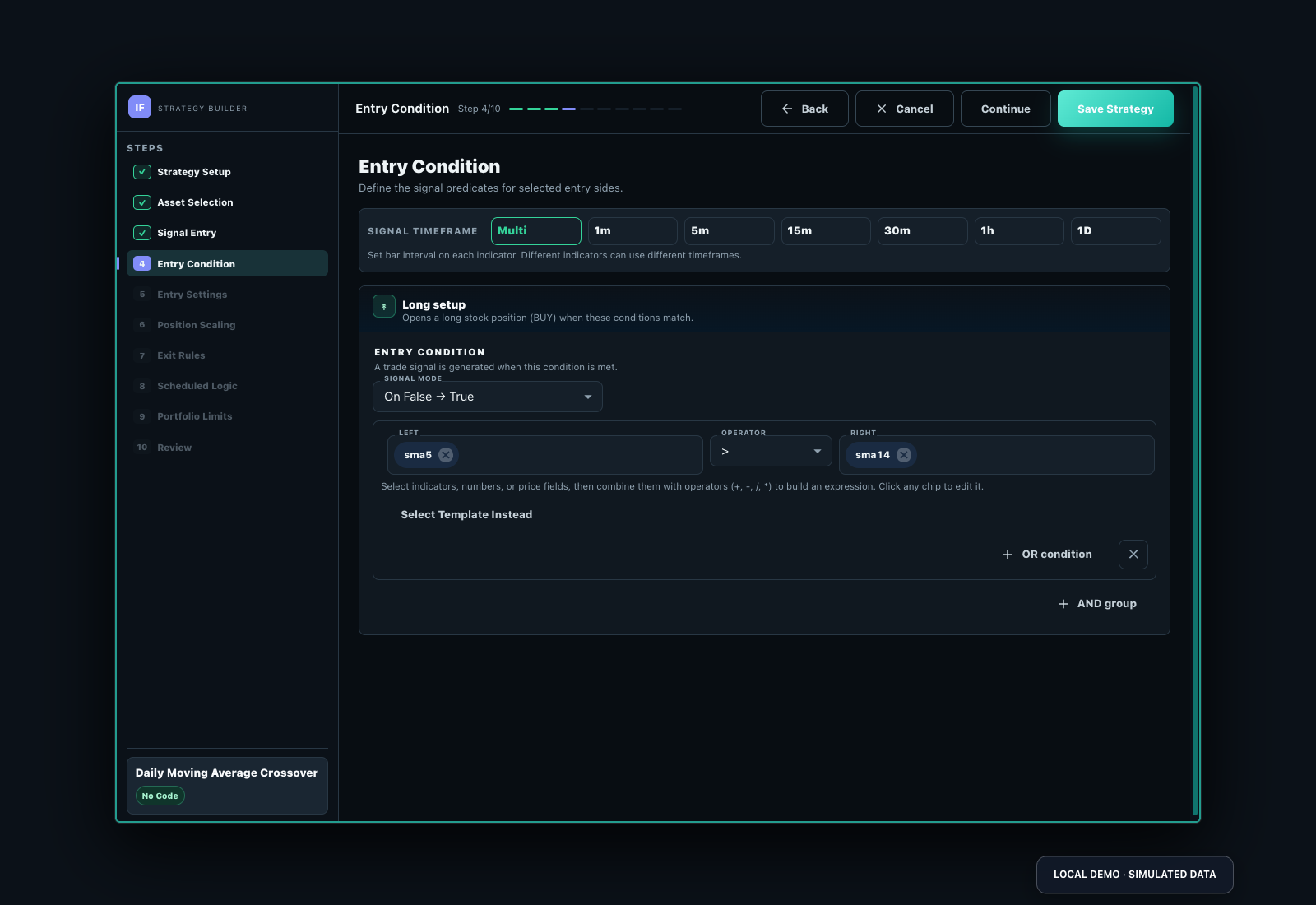
Inspect the five-minute AAPL/META SMA example: rising-edge SMA(20) above SMA(50), market/day entry, 30% equity sizing, initial 4% protection, staged closes and a later trailing stop. The strategy view shows every rule and limit, not just an entry signal.
Inspect SMA CrossOver, use Customize to save a private draft, and review every setting before running it.
| Reported historical period | Matched closed-trade records | Last completed run |
|---|---|---|
| 2026-09-03 to 2026-10-09 | 15 | 2026-10-10 |
Historical simulation, not live performance. Partial closes may create multiple matched records. The run uses available history; its dates can change as data refreshes. Inspect costs, fills, missing data and warnings in the full report. These settings demonstrate software behavior, not a recommended strategy.
Day-trading configurations can use supported intraday intervals, schedules and order controls. Historical availability and provider timing still constrain them; this is not a latency/HFT service. A supported market/day request is not a guarantee of a particular fill.
Standard remains free after the included trial, with one stock/ETF virtual portfolio, screener, watchlist, notification automation and saved strategy. Continued backtesting and automated deployment require Premium or Elite; live connections require Elite.
Use the full build tutorial and deployment/monitoring guide.
Start from a template or configure the universe, conditions, sizing, and exits yourself.
Examples are illustrative and not investment recommendations. Trading involves risk of loss.