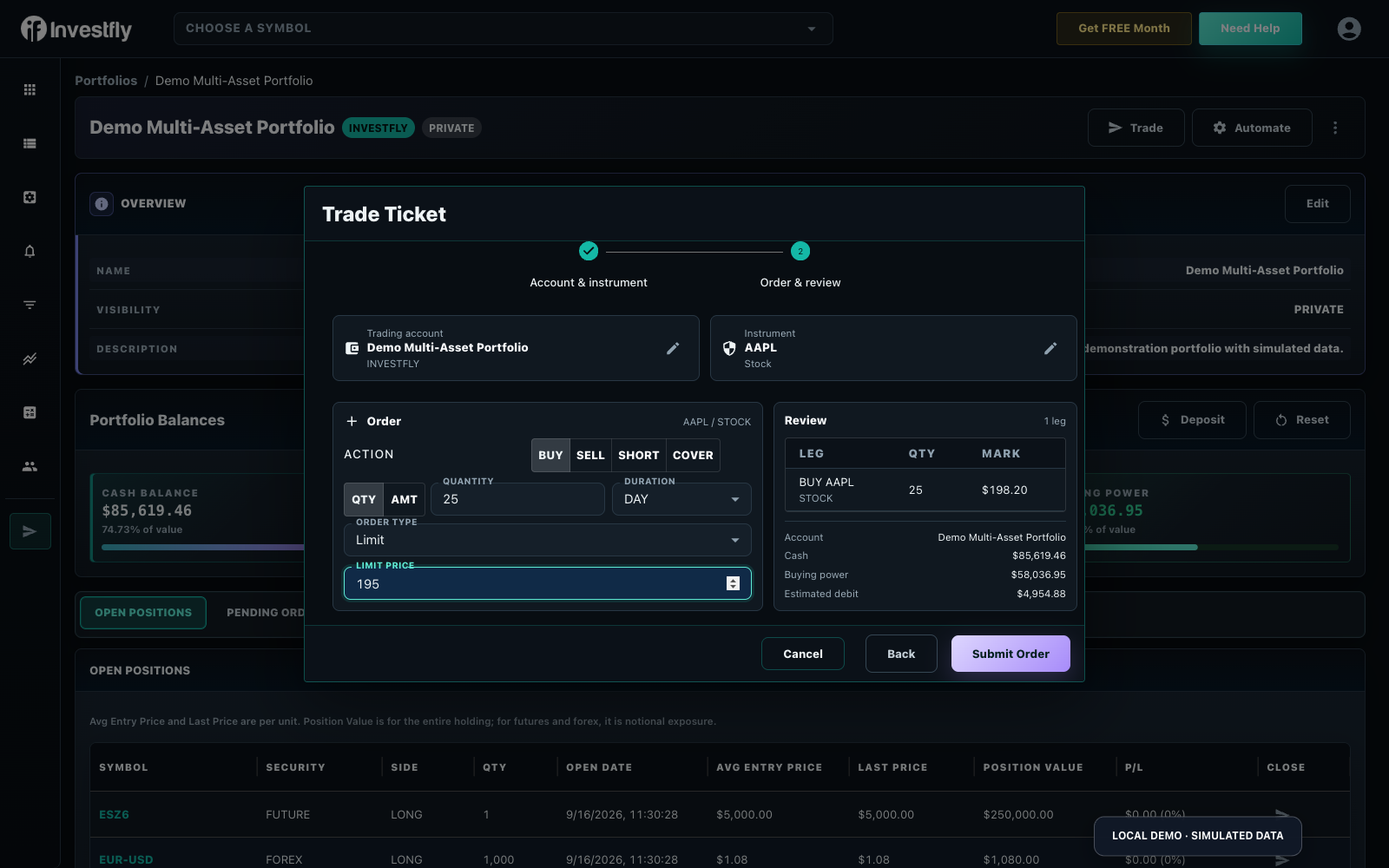
Submit Manual Trades

Review and submit eligible manual orders through the Investfly interface.

Submit manual trade orders to an eligible virtual portfolio or connected broker account from the Dashboard page. Review the selected account, instrument, action, quantity, and order details before submitting.

Available instruments, order types, and account actions depend on the current Investfly workflow, provider, account, jurisdiction, and market-data entitlement. The controls shown in your account are authoritative for availability.

Opening the Trade Dialog

On the Dashboard page, click the Trade button. Tabs and fields appear only for security types and order workflows currently available to the selected account.

Manual Trade Dialog

Trading Stocks

To place a stock trade:

  1. Open the Trade dialog as described above.
  2. Click on the STOCK tab if it is not already selected.
  3. Provide the requested information:
    • Symbol (ticker of the stock)
    • Action (Buy or Sell)
    • Quantity (number of shares)
    • Order Type (Market, Limit, Stop, etc.)
    • Price (for Limit orders)
    • Duration (Day, GTC - Good Till Canceled)
  4. Click Submit Order.

Once submitted, the order can be filled immediately or scheduled. If filled immediately, it will appear in the open positions and trade history tabs. Scheduled orders will be listed in the Pending Orders tab, and you can cancel them at any time.

Trade History
Order note: Order types behave differently and may not execute. Review the selected order type, price fields, provider rules, and current market conditions before submission.

If Option Orders Are Available

Options trading allows you to gain exposure to stocks while potentially limiting risk or generating income.

  1. Open the Trade Dialog
  2. Click on the Options Tab
  3. Enter the stock symbol and click Get Option Chain
  4. The Option Chain will be displayed in a table below
  5. Select the option you wish to trade by clicking the icon in the Action column
  6. Enter Quantity, Order Type, and other necessary information
  7. Click Submit Order
Option Trading

Understanding Options

Call Options

Give the holder the right to buy the underlying asset at a specified price within a specific time period.

Put Options

Give the holder the right to sell the underlying asset at a specified price within a specific time period.

Important: Options trading involves significant risk and is not suitable for all investors. Make sure you understand the potential risks before trading options.

If Multi-Leg Orders Are Available

MultiLeg orders combine one or more options orders with zero or more equity orders. They are used to construct complex trading strategies like covered calls, butterflies, and spreads.

  1. Open the Trade Dialog
  2. Click on the MultiLeg Tab
  3. Enter the Symbol and click Get Option Chain
  4. The Option Chain will be displayed in a table below
  5. Adjust the expiry date dropdown on the top right of the table as needed
  6. Select the option you wish to trade by clicking the icon in the Action column
  7. Enter Quantity, Order Type, and other necessary information
  8. Repeat steps 5-7 to add more options legs
  9. Click on Add Equity Leg if you wish to include Equity
  10. Click Submit Order
MultiLeg Order

Covered Call

Owning shares of a stock and selling call options against those shares, generating income while limiting upside potential.

Spreads

Simultaneously buying and selling options of the same type, different strike prices, and/or different expiration dates.

Butterfly

A limited risk, non-directional options strategy that involves buying and selling multiple options with different strike prices.

If Futures Orders Are Available

Review the products, contracts, expirations, and order controls currently shown for the selected account. Availability and eligibility are provider-dependent.

To trade futures:

  1. Open the Trade Dialog
  2. Click on the Futures Tab
  3. Select an available category
  4. Choose an available product from the dropdown menu
  5. A table with available expiration dates will appear
  6. Select a row by clicking SELECT
  7. Enter the quantity and trade type
  8. Click Submit Order
Important: Futures trading involves substantial risk and is not suitable for all investors. The high degree of leverage can work against you as well as for you.

Ready to Get Started?

Start automating your trading strategies today with our free 14-day trial.

Start Free Trial

No credit card required.